> For the complete documentation index, see [llms.txt](https://support.waderaviation.com/llms.txt). Markdown versions of documentation pages are available by appending `.md` to page URLs; this page is available as [Markdown](https://support.waderaviation.com/quick-start/dashboard.md).

# Dashboard

The Dashboard gives you a high-level view of your logged experience. Available features and disposition vary slightly between the mobile and the web apps:

{% tabs %}
{% tab title="Mobile" %}
Your Dashboard can be accessed by tapping your avatar in the top left corner or through **More → Dashboard**.

It has five tabs:

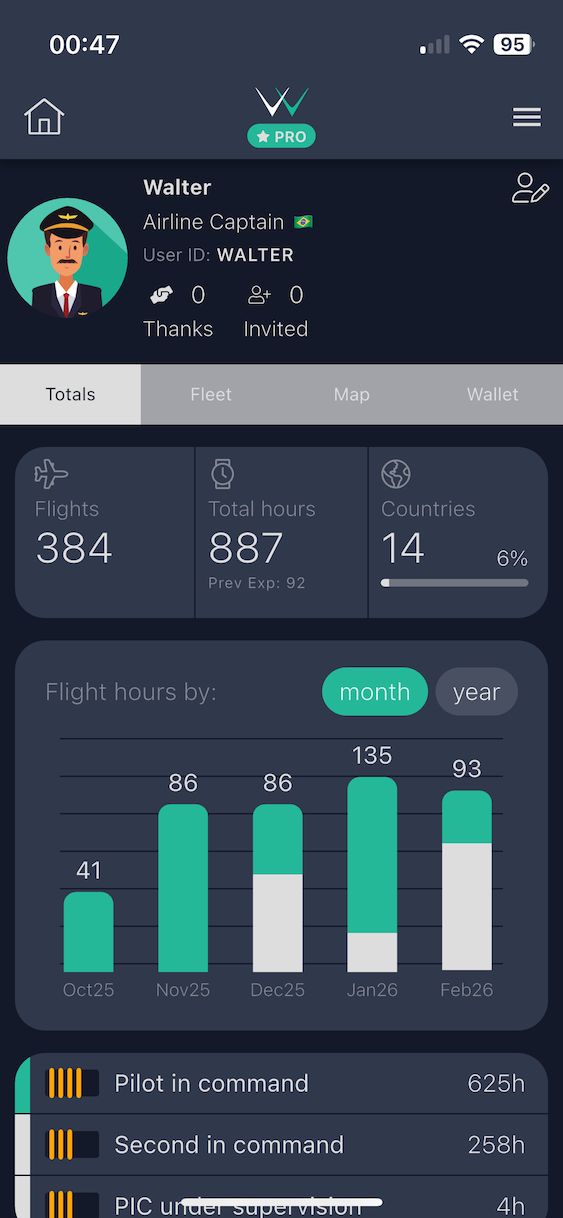
#### Totals Tab

Shows aggregated flight time statistics broken down across all standard logbook categories:

* Total time, PIC time, SIC time, night time, IFR time, cross-country time, and more

{% hint style="info" %}
Statistics only include [**complete flights**](/reference/flight-validation.md). Gray flights with missing required fields are excluded. Pull down to refresh if your totals appear outdated.
{% endhint %}

<figure><img src="/files/h8EzBBNndYanTNli2EQi" alt="Dashboard Totals tab" width="200"><figcaption><p>The Totals tab — aggregated flight hours across all logbook categories</p></figcaption></figure>

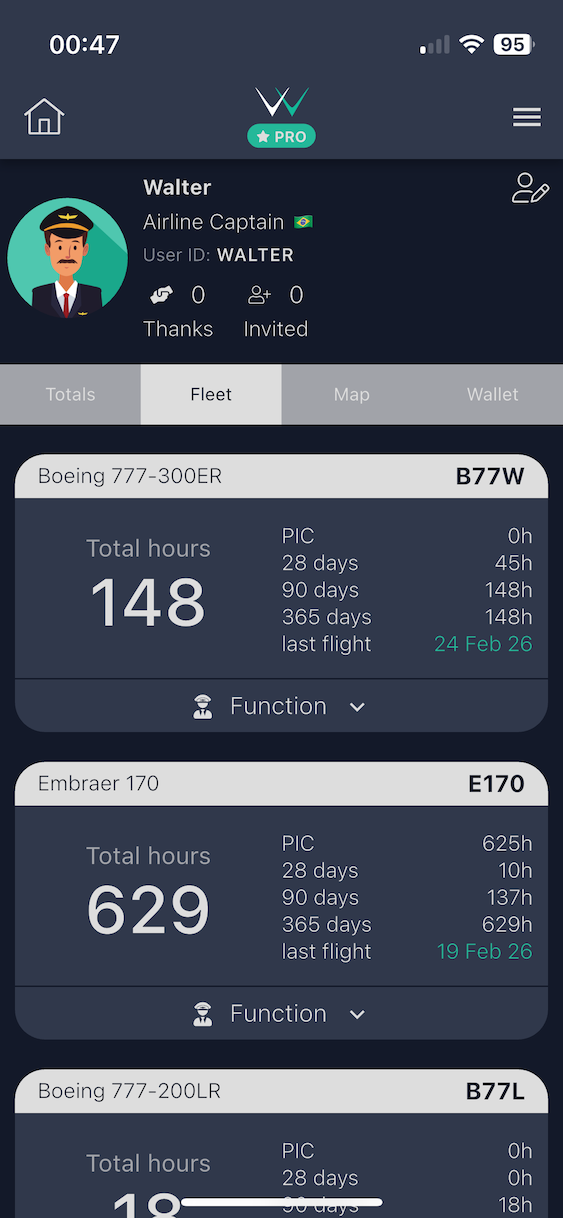
#### Fleet Tab

Shows a breakdown of your logged experience by aircraft type, listing each type you have flown alongside your total hours on it.

{% hint style="info" %}
If a deleted aircraft still appears in the Fleet tab, pull down to refresh on the **Totals tab** to clear the cache.
{% endhint %}

<figure><img src="/files/HvE8l8Ku8VOTI5NH8cfU" alt="Dashboard Fleet tab" width="200"><figcaption><p>The Fleet tab — hours broken down by aircraft type</p></figcaption></figure>

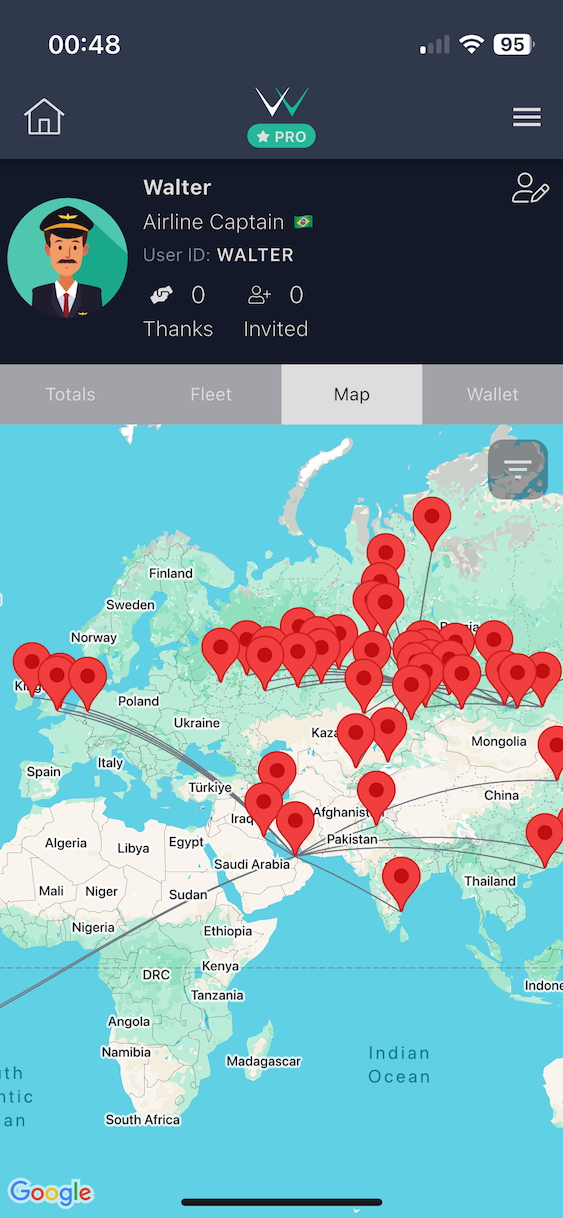
#### Map Tab

Shows a world map with your flown routes plotted as arcs between airports, giving you a visual overview of your routing history.

<figure><img src="/files/NlaBGqH422u3UcqYEAFB" alt="Dashboard Map tab" width="200"><figcaption><p>The Map tab — your flown routes plotted on a world map</p></figcaption></figure>

#### Wallet Tab

Stores and tracks your pilot certifications, medical certificates, ratings, and travel documents — with expiry date monitoring so you always know what needs renewing.

{% hint style="info" %}
Wallet is part of the **Career** page in the web app.
{% endhint %}

{% content-ref url="/pages/gxs2kRYuKpQcuhhzZFPf" %}
[Wallet](/quick-start/dashboard/wallet.md)
{% endcontent-ref %}
{% endtab %}

{% tab title="Web" %}
Your Dashboard is the home screen of the web app, opening automatically after you sign in and can be accessed anytime by selecting **Dashboard** in the lateral menu.

#### Header

At the top, you'll see a time-of-day greeting with your name and today's date. Two quick-action buttons let you jump straight into the most common tasks:

* **Log a Flight** — opens the flight logging form
* **Import** — takes you to the import page to upload flights from supported airlines or apps (PRO feature)

#### Stat Widgets

A row of customizable stat cards shows key totals at a glance. By default these are **Total**, **PIC**, **Last 30 Days**, **Last 365 Days**, and **Last Flight**, but you can click any card to swap it for a different metric, including PIC, SIC, PICUS, SPIC, Dual, Instructor, Examiner, Turbine, IFR, Night, Last 30/90/365 Days, Last Flight, Total Distance, Sectors Flown, Countries Visited, and Airports Visited. Your choices are saved so the Dashboard stays arranged the way you like it.

If a metric includes hours carried over from previous experience you logged manually, a small **"prev. exp."** badge appears on that card.

#### Flight Hours Chart

A bar chart shows your flight hours over time, with **Monthly** and **Yearly** views. The monthly view covers the last 12 months. Only [complete flights](/reference/flight-validation.md) count toward this chart — incomplete flights and simulator sessions are excluded.

#### Travel Stats

This section breaks down where and how you've been flying. You can filter it by time period, by aircraft, and by type rating.

It shows:

* **Distance** — total distance flown, in both km and NM
* **Airborne** — total airborne time, with your average flight duration per sector
* **Sectors** — number of flights, plus how many distinct days you flew
* **Countries** — number of countries visited, with your most frequent ones shown as flag emojis
* **Airports** — number of airports visited, plus your most-visited airport
* **Farthest** — your longest single flight by distance, with the route
* **Longest** — your longest single flight by duration, with the route

If you've flown enough distance, a row of **Fun Facts** appears — playful comparisons like how many times you've circled the Earth or how far you'd be toward the Moon, Mars, or the Sun.

Below the main stats, you'll find breakdown tables listing your countries and aircraft types.

#### Recent Flights

The bottom of the Dashboard shows your most recent flights (up to six) as a quick preview. Tap **View all** to go to your full logbook.
{% endtab %}
{% endtabs %}