> For the complete documentation index, see [llms.txt](https://support.waderaviation.com/llms.txt). Markdown versions of documentation pages are available by appending `.md` to page URLs; this page is available as [Markdown](https://support.waderaviation.com/quick-start/airports/my-stuff-and-notes.md).
# Stats, My Stuff & Notes
Community statistics, your personal flight history, and notes for each airport.
***
## Stats Tab
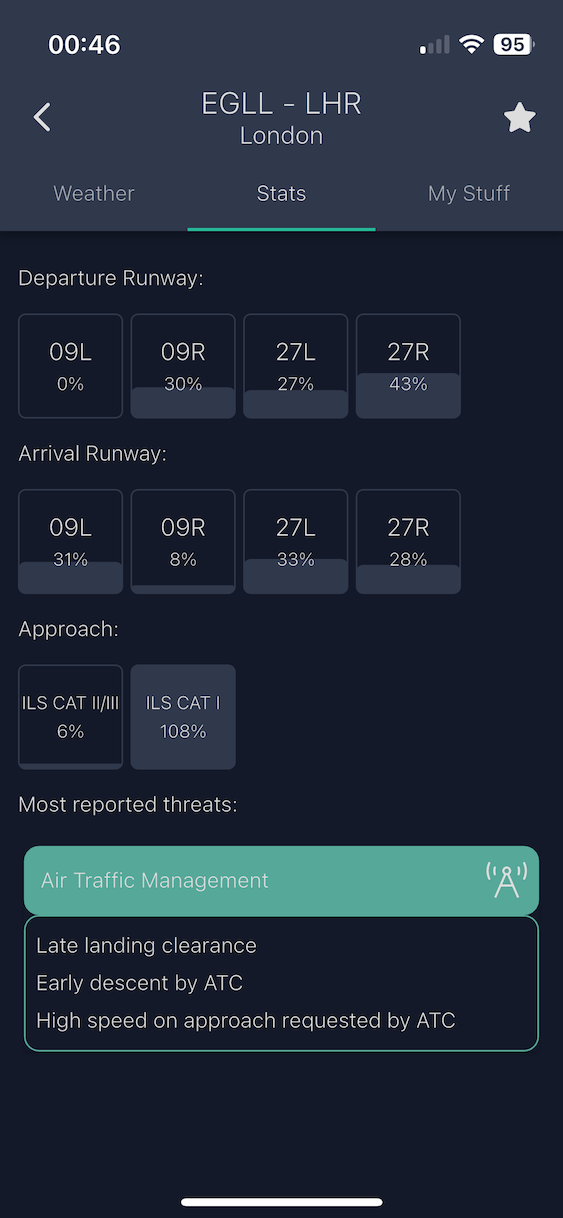
The **Stats tab** shows community-aggregated data for that airport, built from reports submitted by all Wader pilots.
| Data | What it shows |
| --------------------- | ---------------------------------------------------------------------------------- |
| **Number of reports** | Total flight reports submitted for this airport |
| **Runway usage** | Which runways are most frequently used, based on community data |
| **Threat frequency** | Most commonly reported threats at this airport (e.g., wind shear, wake turbulence) |
{% hint style="info" %}
The more pilots contribute by filling in the Operational Report when logging flights, the more accurate and useful this data becomes. If an airport has no data yet, the tab will say so — your next report will be the first.
{% endhint %}
Community-aggregated stats for an airport
***
## My Stuff Tab
The **My Stuff tab** is personal and only visible when you are logged in as a pilot.
### Last Operations
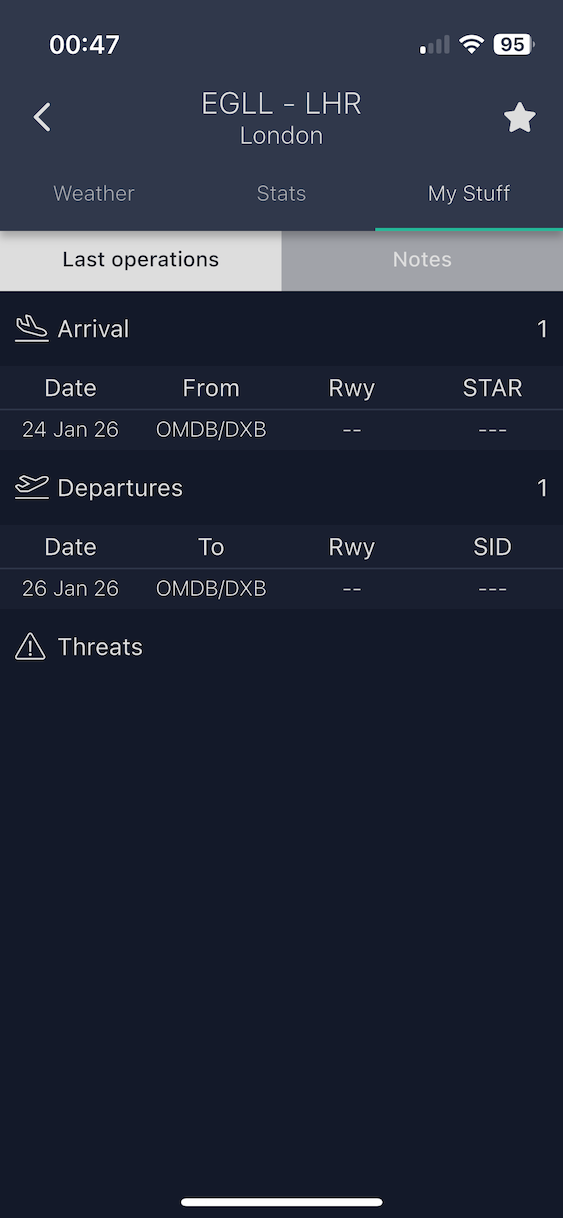
Shows a table of your own past flights at this airport:
* Runway used at departure or arrival
* Threats you reported for each operation
This is useful for reviewing your own experience at an airport before a return visit.
Your personal flight history at this airport
### Notes
A freeform text area where you can write personal notes about this airport — procedures, restrictions, local peculiarities, or anything else you want to remember.
Notes are saved per airport and persist across sessions.
{% hint style="success" %}
Your notes are **completely private**. They are only visible to you and are never read, accessed, or used by Wader in any way.
{% endhint %}