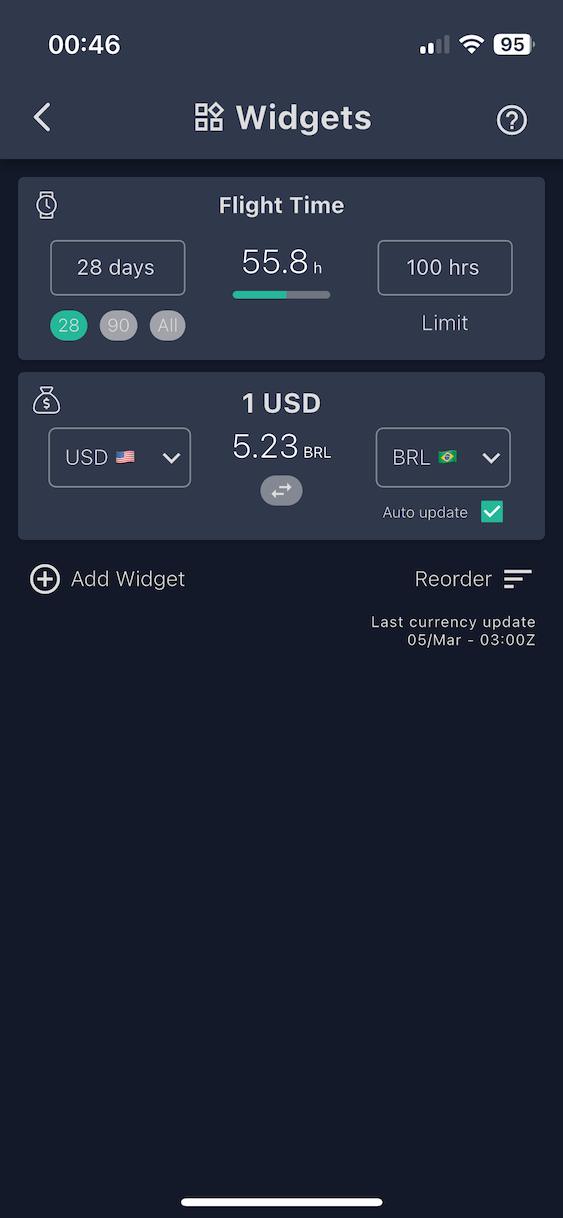
Widgets appear at the top of the Feed for at-a-glance information
Widgets appear at the top of the Feed for at-a-glance information
| Setting | Details |
|---|---|
| Period | Set a time period manually or select some of the default options (28 days (default), 90 days or all time |
| Limit | Set a flight hour limit (default: 100 hours) |
| Setting | Details |
|---|---|
| Base currency | Set by you in the widget settings |
| Quote currency | Set by you in the widget settings |
| Swap direction | Tap the widget to reverse the conversion (e.g., USD→EUR becomes EUR→USD) |
| Auto update | By selecting "auto update", every time you save a flight, the currency with "auto update" enabled is automatically set to the currency of the country where you landed. |